

At 12:10 a.m. in Bengaluru, your store gets an order. Payment goes through, the confirmation email arrives, and the customer goes to sleep. The next morning, finance opens the daily report. The order is sitting in yesterday’s sales.
You ask an AI coding agent to fix it. A few minutes later, it says the tests pass. Would you merge the change?
In Stack Overflow’s 2026 Developer Survey, 73% of respondents who used AI coding assistants or agents said they used them daily. In a separate question about trust, 48% of those who answered said they trust AI output when they can easily verify it. That second number gets to the heart of this comparison. When a tool changes code that finance relies on, how quickly can you prove the fix is right? Stack Overflow Developer Survey 2026
One midnight bug that a passing test can miss
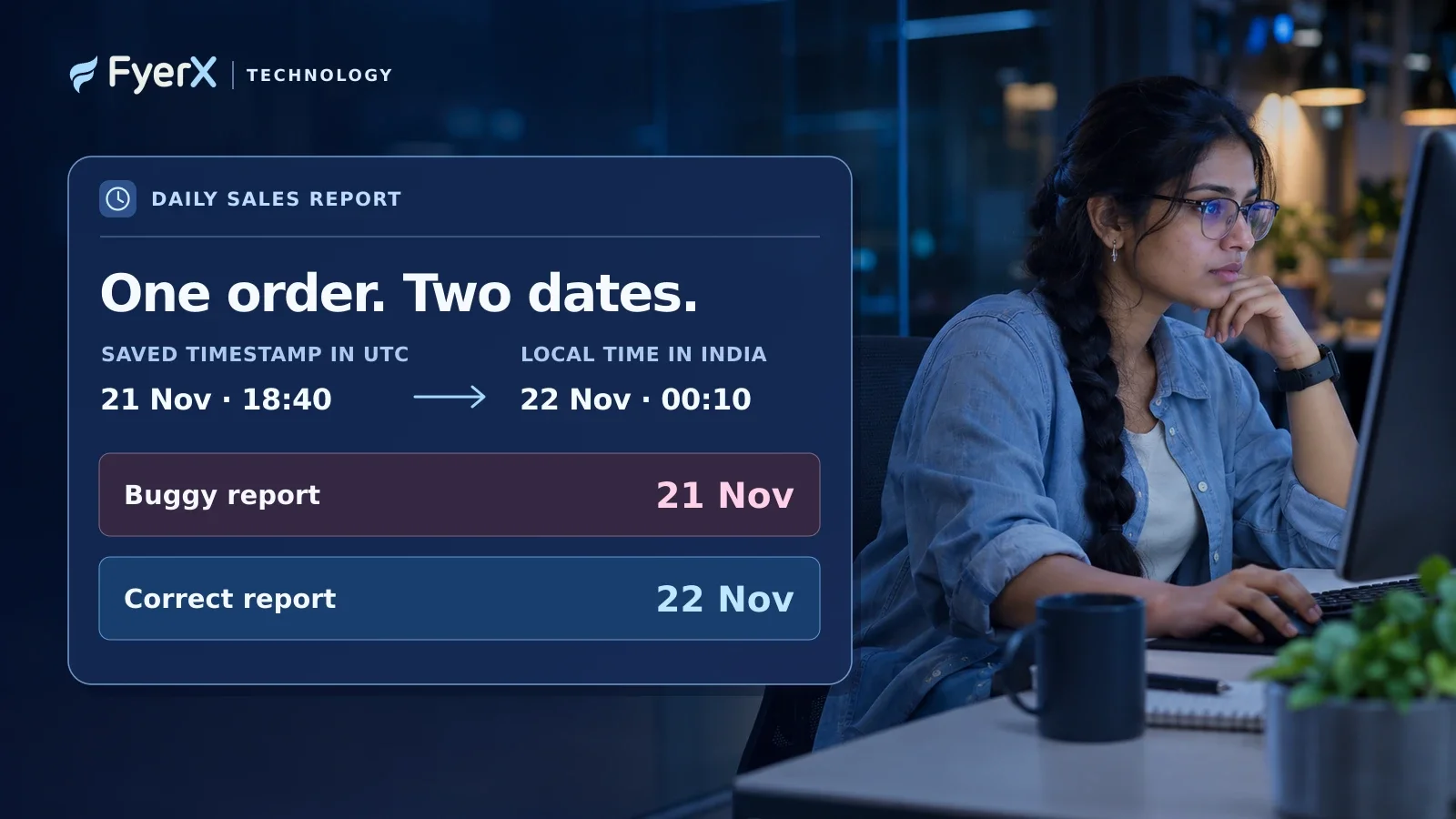
Here’s a realistic example you can reproduce. The store saves order timestamps in UTC. Its daily sales report is supposed to group orders by calendar date in India. A developer has used Python’s placed_at.date() on the saved UTC timestamp. That groups orders by their UTC date, so some orders placed early in the Indian morning land a day behind in the report.
For the example, we ran the original expression and a reference fix in Python on three timestamps. At 18:29:59 UTC on 21 November, the local date is still 21 November. At 18:30:00 UTC and 18:40:00 UTC, the local date is 22 November. The original code returned 21 November in all three cases. Converting the timestamp with placed_at.astimezone(ZoneInfo("Asia/Kolkata")).date() returned the expected date in each case and left the original timestamp intact.
The one-line fix makes sense in this small example. In an actual repository, the agent still has to find the right place to put it. If the system filters orders by date in the database before Python groups them, fixing the displayed date alone could still leave some orders out of the report. A useful patch follows the order through filtering, grouping and export. A useful test checks that it appears exactly once, under the correct date.
Claude Code vs Codex vs Cursor for debugging
All three can inspect a codebase, edit files and run commands. They give you different ways to supervise that work. The hands-on test covered the Python bug and reference fix. The comparison of the three products uses their documented workflows and published research.
Claude Code is a good fit when you want to review the diagnosis first
Anthropic’s Claude Code works in the terminal, IDE and other surfaces. In Plan Mode, it can explore the repo and propose an approach before editing your source. For the midnight bug, ask it to trace where the order timestamp first becomes a report date. Have it show the conversion point, the query that selects orders and the tests it intends to add. A diagnosis with file and function names gives the reviewer something to check before a patch is written. Claude Code overview · Anthropic’s Plan Mode guidance
Codex is a good fit when your team works from the terminal and CI
OpenAI’s Codex CLI can inspect a local repository, make edits and run the commands available in the environment. It also supports repeatable runs through codex exec. For the reporting bug, give it the repository’s actual test command and ask for the failing boundary case first. Then ask for the smallest patch and the test output after it runs. That gives a terminal-based team the same evidence it would expect from a developer before the change goes into code review. OpenAI Codex CLI documentation
Cursor is a good fit when you want to inspect and edit the patch in your editor
Cursor Agent searches the codebase, modifies files and can run terminal commands inside the editor workflow. If you’ve already got the order query and report tests open, you can review the proposed edits where you work and inspect whether the agent touched anything outside the report. That’s useful when you know the code well enough to challenge a change as it appears. In a team trial, record the model you selected in Cursor so the result is tied to a configuration someone else can try. Cursor Agent documentation
What published research can tell you about which agent to trust
A 2026 preprint analysed 7,156 reviewed, closed pull requests across five AI coding agents. In an 11-week window common to the agents in 2025, 79.9% of Codex pull requests, 74.4% of Cursor pull requests and 72.6% of Claude Code pull requests were merged. Those percentages span all task types in that window. The agents worked on different tasks and repositories, and a merge measures acceptance by maintainers. Current product versions, patch correctness and the amount of human cleanup each patch required are separate questions. Comparing AI Coding Agents, arXiv
How to run a fair AI coding agent trial on your own bug
Give each tool a fresh copy of the same commit, the same brief and equivalent access to the test environment. Use the model and settings your team would actually pay for or deploy, and record them with the date. If you have time, repeat the exercise on a second bug that crosses files. One clear-cut time zone fix can be a starting point.
Here’s a brief the team can reuse.
Orders placed shortly after midnight IST appear under the previous day in the daily sales report. Reproduce the issue with a regression test, trace how the report selects and groups orders, and propose the smallest fix. Keep stored timestamps in UTC. Report the files changed and the tests run.
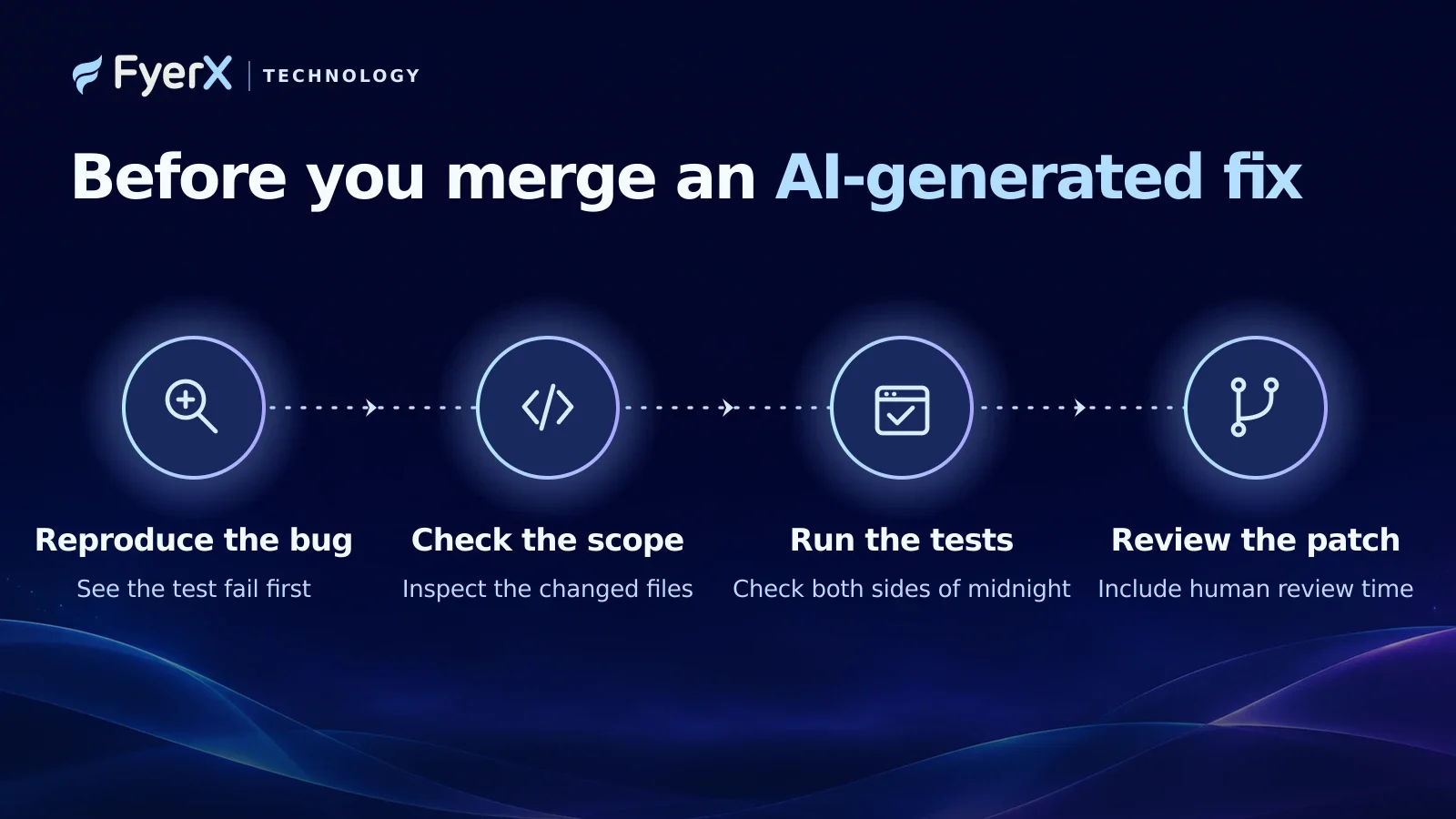
Use four checks to decide whether you’d merge the patch.
Reproduce the bug. The new regression test should fail on the starting commit for the same reason finance reported the problem.
Check the scope. Review the files and behaviour the patch changes. A reporting fix should leave stored UTC timestamps and unrelated workflows intact.
Run the tests. Check both sides of the midnight boundary, then run the existing reporting suite. Where the app exports a CSV, verify the same order lands on the right day in the export.
Review the patch. Record the time until a reviewer is satisfied, including any corrections they made. An agent that writes quickly can still leave a long review behind.
Which one would I trust with a real bug?
For a terminal-first team comparing changes against CI, I’d trial Codex first. If the risk is misunderstanding how several services handle the same order, I’d start with Claude Code in Plan Mode and review the trace before approving edits. If the engineer already uses Cursor all day and wants to inspect changes as they happen, I’d trial Cursor in the editor.
For the midnight bug, I’d trust whichever patch puts the order under 22 November, keeps the original UTC timestamp, and shows the same result in the report and the export. The person reviewing the change should be able to explain why that works. That’s the evidence I’d want before finance opens the report again tomorrow.
Working on business-critical reporting, applications or integrations? Explore FyerX Technology.
Looking for technology support?
Tell us what you need to build, improve, or manage.
Talk to FyerX Technology